
Applies to: Workforce · Premium · LawBillity
When your free trial ends, or any time before it does, an admin can activate your subscription. Activating means choosing how you want to be billed and adding a payment method.
Activating Your Account
- Go to Admin > Settings > Firm Information > Manage Subscription.
- On the Plan tab, choose Monthly billing or Annual billing, and set your add-ons and the number of user seats you need. See Managing Your Subscription.
- Click the Billing tab, then click Activate account.
- Check the summary of what you'll be charged. To change anything, click Reconfigure Subscription.
- If you have a promo code, enter it in Enter Promo Code and click Apply.
- Tick I understand the pricing info above.
- Click Enter payment Info and enter your card details.
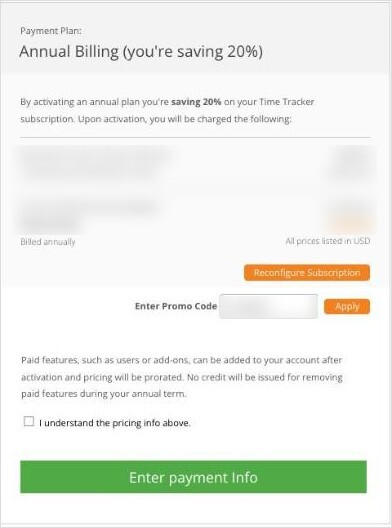
The activation page shows your payment plan and what you'll be charged before you enter payment details.
If your trial has already ended, Time Tracker takes you to the activation page when you sign in.
Good to know: Users and add-ons you add after activating are charged for the rest of your billing term (the price is prorated). On an annual plan, no credit is given for removing them before the term ends.
Tip: Not sure which plan or how many seats you need? Book a free session with our team from the Help menu (the ? at the top of the screen), or call 1-800-851-0992.