Skip to content
  • There are no suggestions because the search field is empty.

Customizing Your Invoices

Add your logo, pick a template, and set up late fees, discounts, and email

Applies to: Billing

Before you send your first invoice, take a few minutes to make it look like it came from your firm. All of these settings are in Settings > Customize > Invoices.

Adding Your Logo

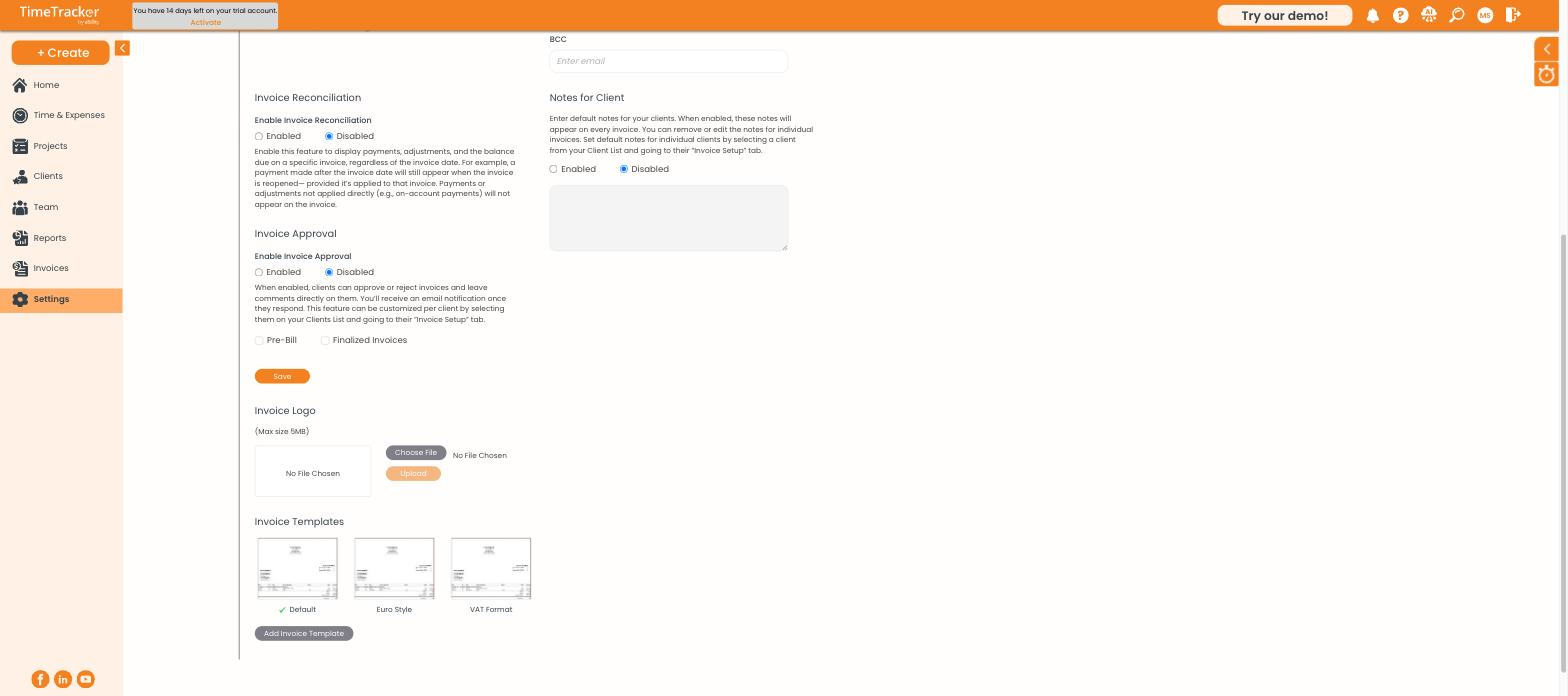
  1. Scroll to Invoice Logo.
  2. Click Choose File and pick your logo (up to 5MB).
  3. Click Upload.

Choosing a Template

Invoice Logo and Templates

The logo upload and the three built-in invoice templates.

Template
Use it if
Default
You want the standard layout most firms use
Euro Style
You and your clients use European formatting
VAT Format
You need VAT shown on the invoice

Click a template to select it, or Add Invoice Template to build your own.

Charging Interest on Late Invoices
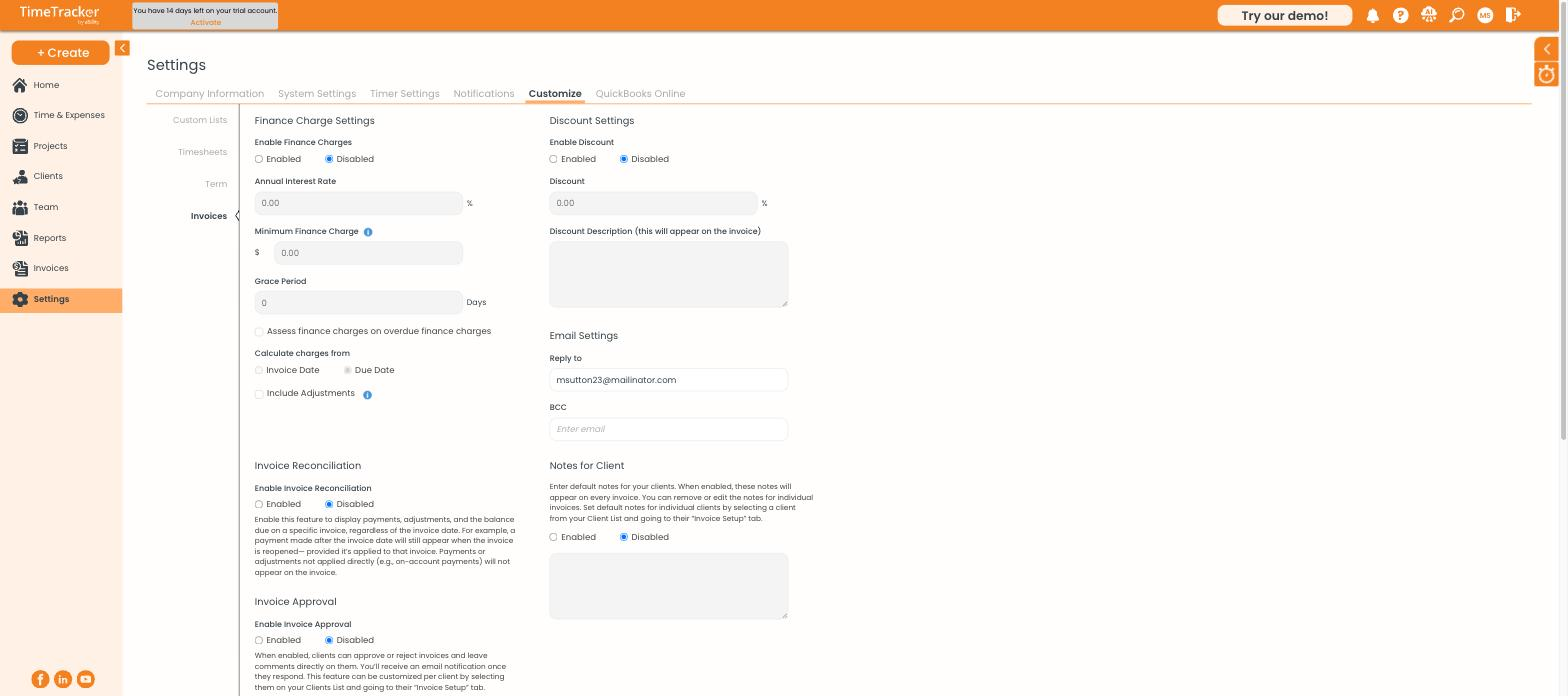
Invoice Finance and Discount Settings

Finance charges, discounts, email settings, and invoice approval.

  1. Under Finance Charge Settings, select Enabled.
  2. Enter the Annual Interest Rate.
  3. Set a Minimum Finance Charge so tiny charges aren't issued.
  4. Set a Grace Period: the number of days after the due date before charges start.
  5. Choose whether to calculate from the Invoice Date or the Due Date.

Other Settings

If you want to...
Do this
Give every invoice a standard discount
Turn on Discount Settings and set a percentage and the description shown on the invoice. For a one-off discount, tick Add a Discount on that invoice instead.
Control where client replies go
Set the Reply to address in Email Settings. Add a BCC address to get a copy of every invoice you send.
Let clients approve or reject invoices
Turn on Invoice Approval. Clients can approve or reject and leave comments. Choose whether it applies to Pre-Bill, Finalized Invoices, or both.
Show payments and the balance due on the invoice
Turn on Invoice Reconciliation. It adds payments, adjustments, and the balance due. Payments applied to the invoice show even if made after the invoice date. Payments held on account don't.

Common Problems

  • Your logo won’t upload. Check the file is under 5MB.
  • Client replies go to the wrong inbox. Change the Reply to address in Email Settings.
  • Your company name or address is wrong on the invoice. That comes from Settings > Company Information. See Setting Up Company and System Settings.