
Applies to: Premium · LawBillity
An estimate shows how much of a project's budget is used and how much is left, so you notice before the project runs over instead of after.
Adding an Estimate
- Open the project.
- Go to the Project Estimates tab.
- Tick Add an estimate for this project.
- Choose a method (see below) and enter the amounts.
- Save the project.
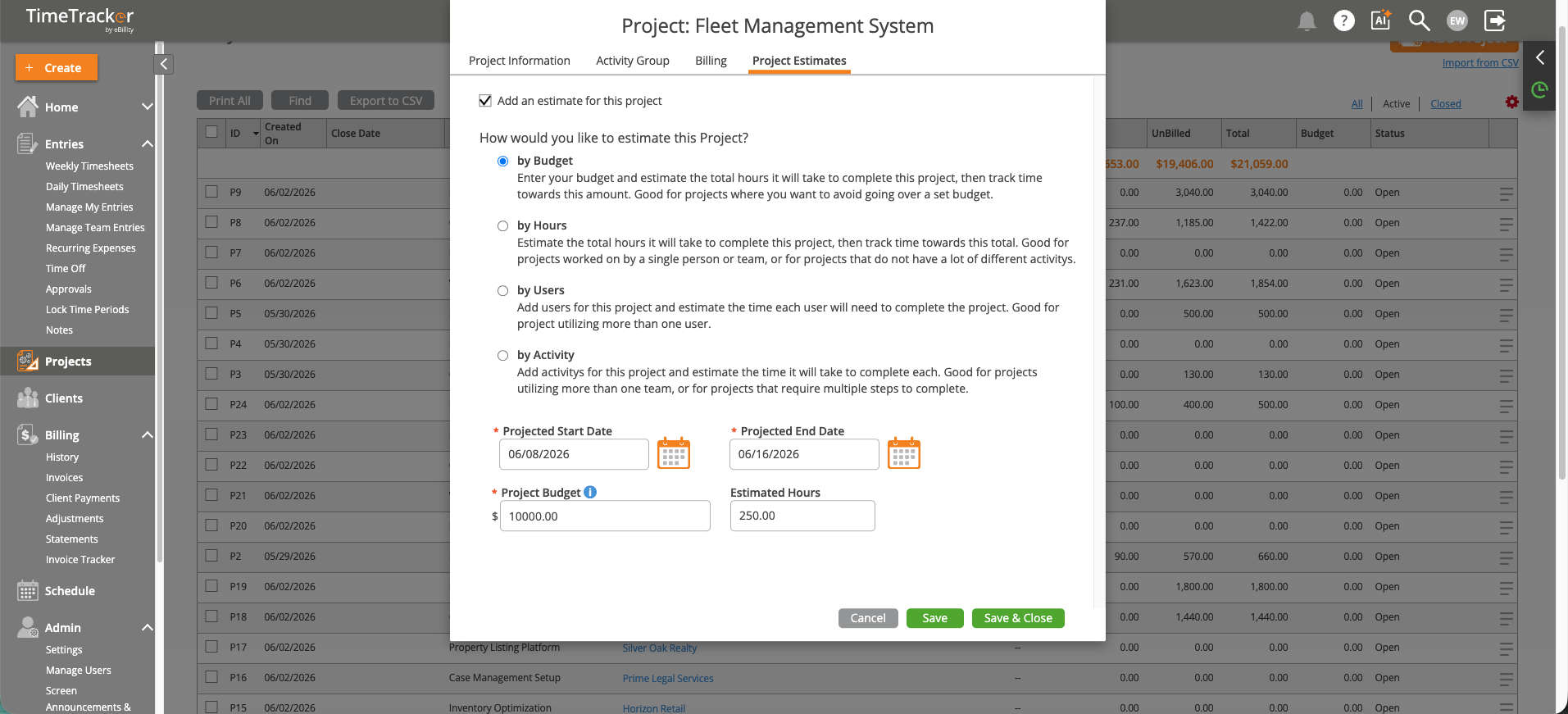
The Project Estimates tab, with the ways you can set a budget.
Choosing a Method
Keeping an Eye on It
Once a project has an estimate, the Project Tracker shows budget vs. actual as you go, with a progress bar for how much is used. See Using the Project Tracker. For more detail, see Project Reports: Budget vs. Actual and Profitability.
Common Problems
- A project shows no budget in the Project Tracker. It doesn't have an estimate yet. Add one as above.
- Nobody noticed a project went over. Check the tracker weekly, or set up project notifications. See Configuring Firm Notifications.