
Applies to: Workforce · Premium · LawBillity
Getting everyone to log time every day is hard, and reminders only go so far. User Achievements rewards good habits instead: people earn badges and points for things like entering time daily and submitting before the deadline.
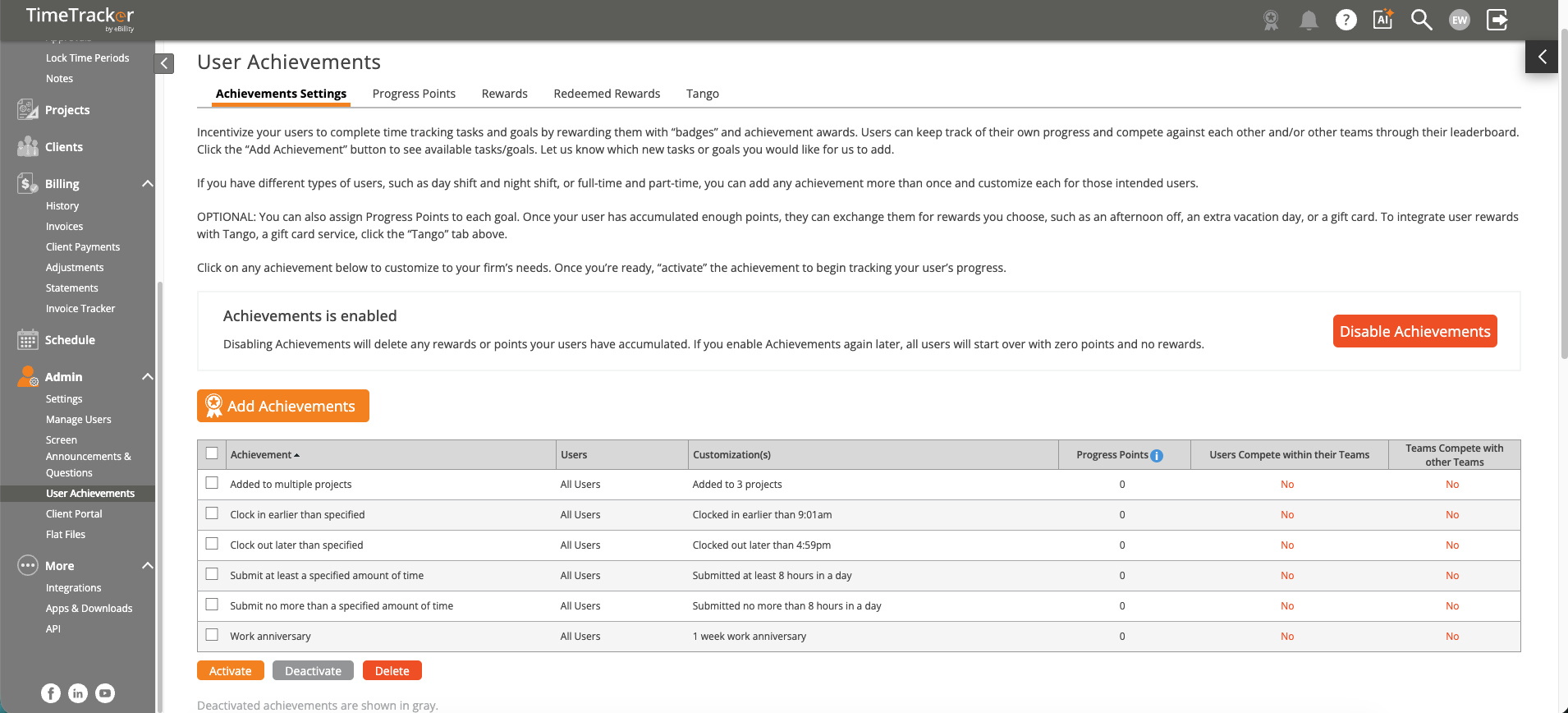
The User Achievements page, where you set up badges, points, and goals. Click the picture to see it full size.
How It Works
- People earn badges and points for habits like entering time on time, logging time every day of the week, and submitting before deadlines.
- Points can be exchanged for rewards, such as gift cards through Tango.
- A leaderboard shows top performers, for individuals and teams.
- Each person can see their own progress.
Turning It On
- Click Admin > User Achievements. The label follows your firm's terms, so it may say Worker Achievements. See Renaming Clients, Projects, and Other Terms (Term Settings).
- Turn the feature on.
- Choose which achievements are active and how many points each one earns.
- Save.
You can choose who's told when someone earns a badge or redeems a reward, and get a warning when your Tango balance runs low. These are on the User Achievements tab of the firm notifications. See Configuring Firm Notifications.
When It Helps
- Late timesheets: if Friday reminders aren't working, a daily nudge from points and badges often does.
- Large teams: a leaderboard adds some friendly competition.
- New hires: helps build the habit from day one.
It's optional, and you can turn it off at any time if it doesn't suit your team.