
Applies to: Premium · LawBillity
The Project Tracker shows all your projects on one screen, with how much of each budget is used. Use it to spot projects running over without opening each one.
Opening the Tracker
Click Projects > Project Tracker in the left sidebar.
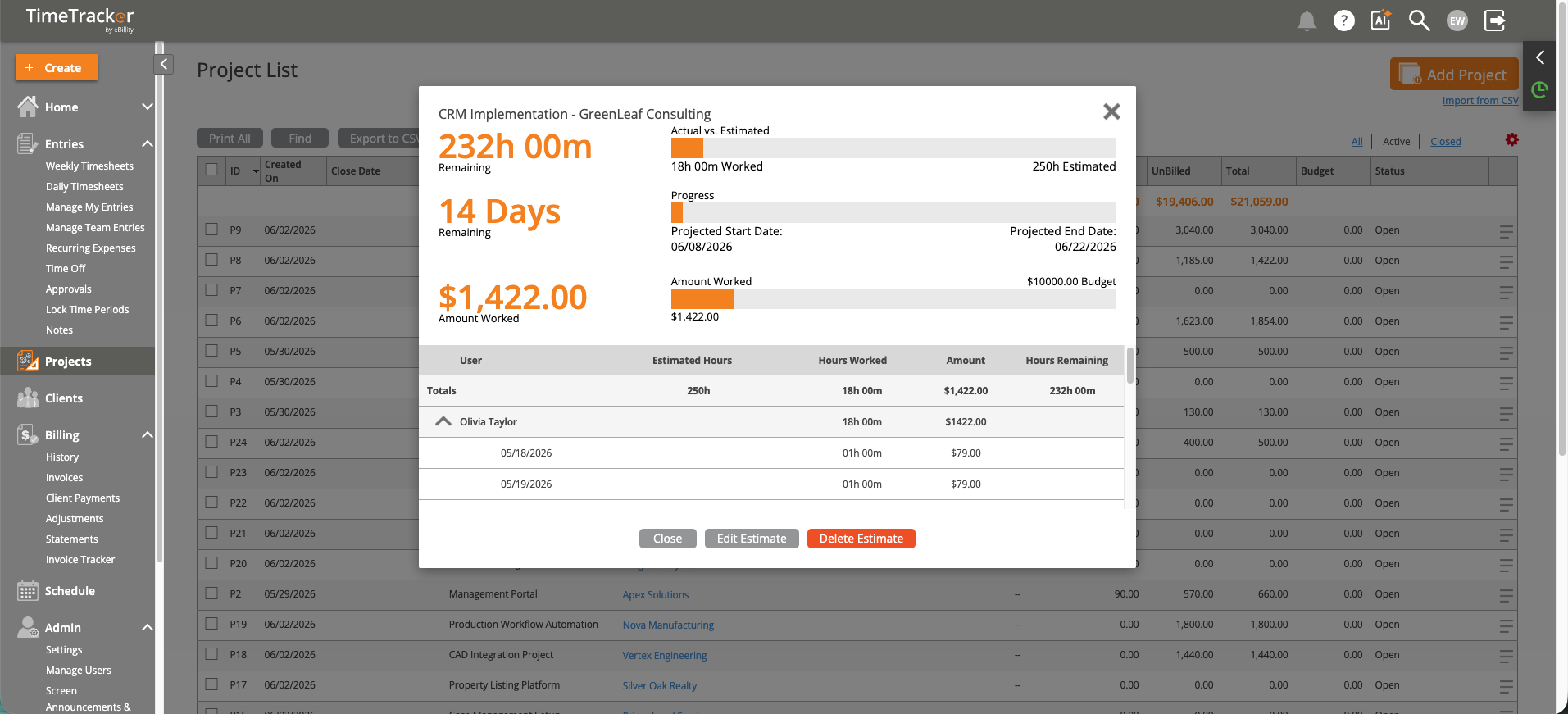
The Project Tracker: hours worked, budget remaining, and progress for each project.
What Each Row Shows
- Project and client.
- Budget vs. actual: hours or dollars used against the estimate.
- Progress bar: green means on track. Yellow and red mean the project is close to, or over, its budget.
- Status: Open, On Hold, or Completed.
Click a project to open its details: team members, time entries, expenses, and billing history.
Ways to Use It
- Weekly project meetings: review all active projects. Focus on anything over 75% of its budget that isn't close to done.
- Before a client check-in: look at their project so you can raise any overrun before they do.
- Planning: projects close to completion free up people for new work.
Common Problems
- A project shows no budget or progress. The tracker only works for projects with an estimate. See Setting Up Project Estimates and Budgets.
- You need the numbers in a report. See Project Reports: Budget vs. Actual and Profitability.