
Applies to: Billing
Read about a feature and not sure your plan has it? Here's everything Time Tracker Billing includes and where to find it, so you can get set up without hunting.
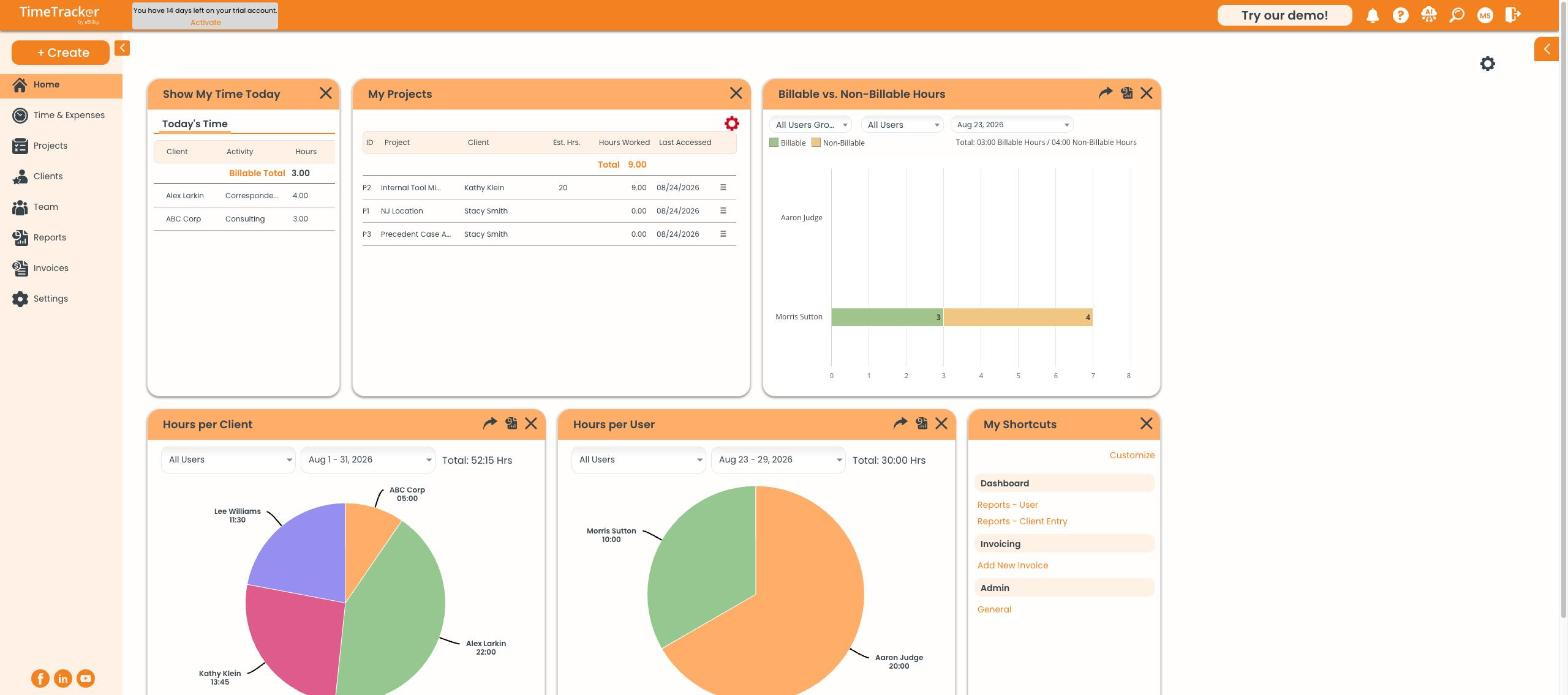
The Time Tracker Billing dashboard: today's time, your projects, and billable vs. non-billable hours. Click the picture to see it full size.
What Your Plan Includes
Checking Which Plan You're On
- Click Settings > Company Information.
- Your plan name is at the top of the page, next to a Manage Subscription link.
Features on Other Plans
These aren't part of Time Tracker Billing. They're on the Workforce or Premium plan:
- GPS tracking and geofencing
- Employee scheduling and shifts
- Time clock kiosk for shared devices
- Timesheet approvals
- Custom fields on time entries
- Payroll and accounting integrations other than QuickBooks Online
Note: Billing and Workforce are two different plans, not two sizes of the same plan. Billing is built for invoicing clients. Workforce is built for scheduling employees and running payroll. If you need both, Premium combines them. To change plans, click
Manage Subscription under
Settings >
Company Information.
Common Problems
- A help article mentions a menu you don’t have. Many help articles are written for other plans. Check which plans an article applies to near its top. See Why Can't I Find a Feature? (What's Not in Time Tracker Billing).
- You need invoicing and scheduling. That's the Premium plan. Workforce has scheduling but no invoicing.