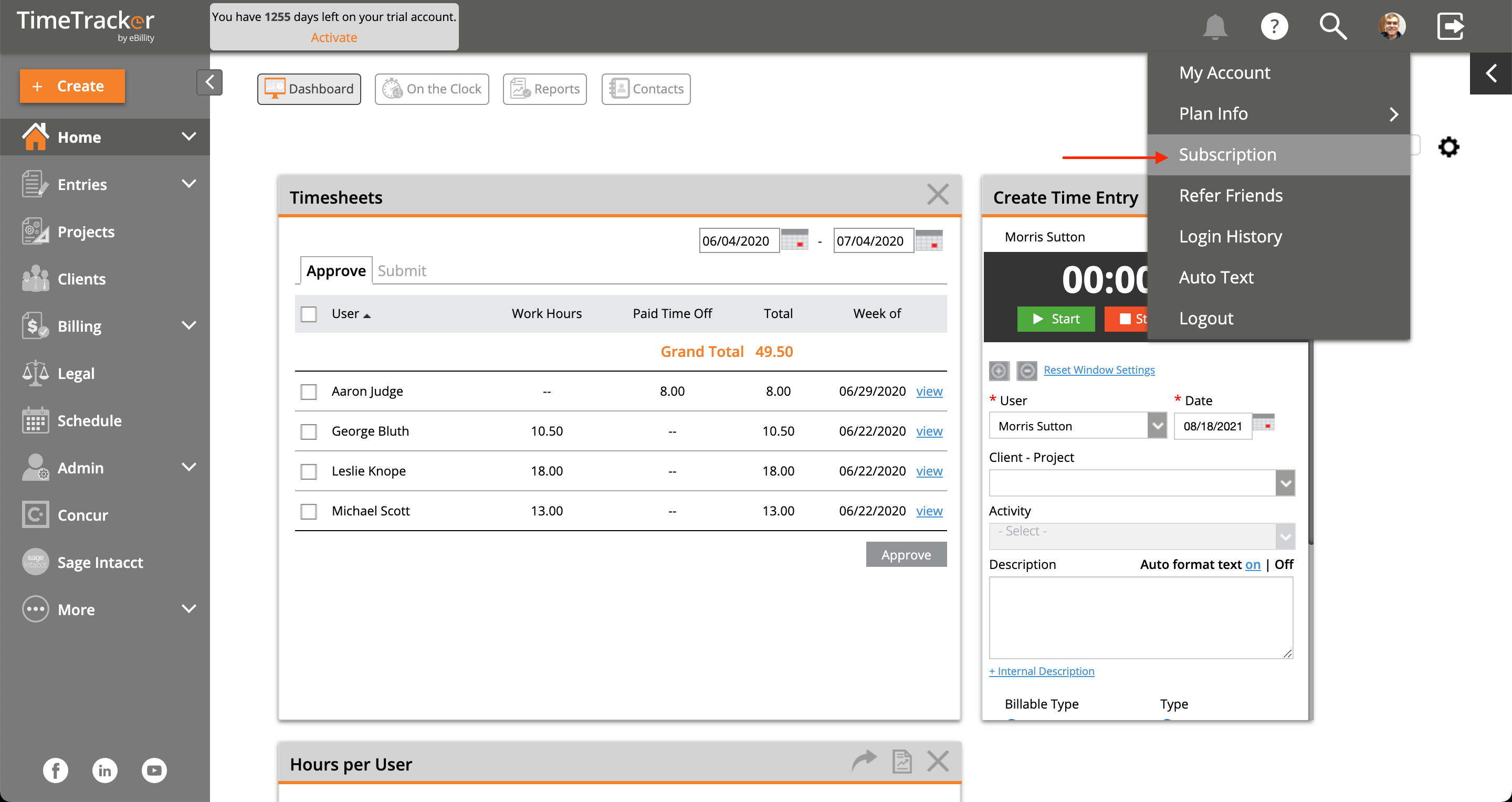
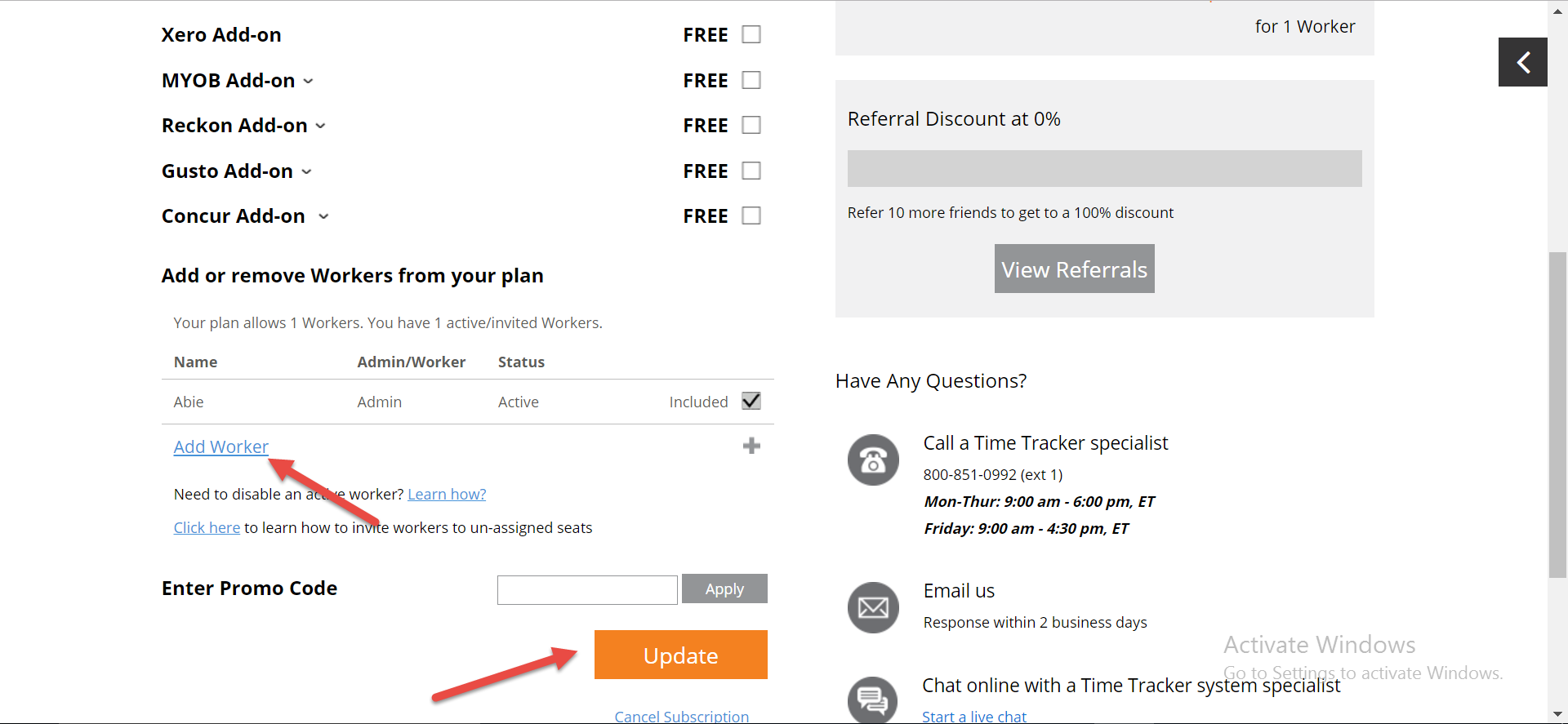
I’ve reached my Plan User Limit. How do I add more Users? How do I upgrade my account (i.e. I have a 5-User account, and I need to add a 6th User)? Permanently deleted user August 18, 2021 15:53 Updated Log in as the Admin to Time Tracker. Click on your admin logo. Click Subscription Scroll down to Add Worker Click Update to save your new settings Related articles How do I create different bill rates for different Users? How to interact with Alex the Virtual Assistant (Time Card users) How do I add workers and employees so they can enter time? Importing data from a CSV file Creating Custom Reports Comments 0 comments Article is closed for comments.

Comments
0 comments
Article is closed for comments.