
Applies to: Billing
When Time Tracker Billing prices an hour of work, it looks for a rate in four places and uses the most specific one it finds. If an invoice line came out at $0.00, no rate was set at any of them.
Where Rates Are Set
From most specific (wins) to least specific (fallback):
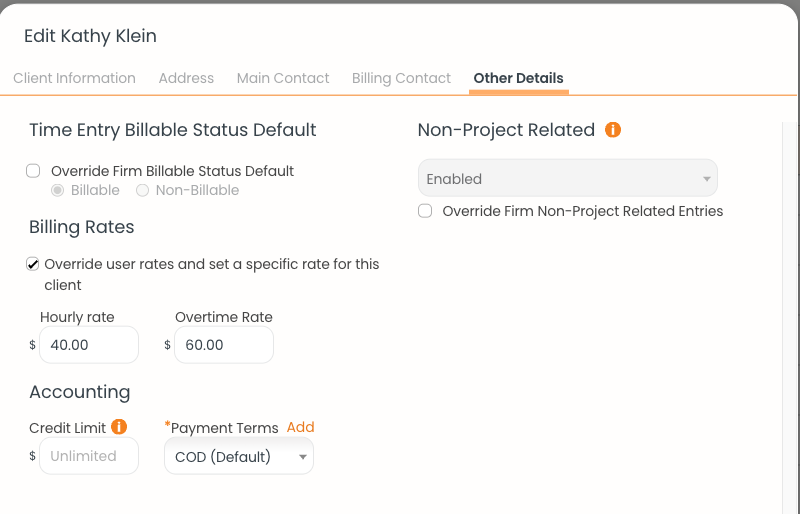
A client rate on the Other Details tab. It wins over each user's own rate.
For example, if your rate on the Team page is $50/hour but the client has a $40/hour rate, work for that client bills at $40. If one of that client's projects has its own $55 rate, work on that project bills at $55.
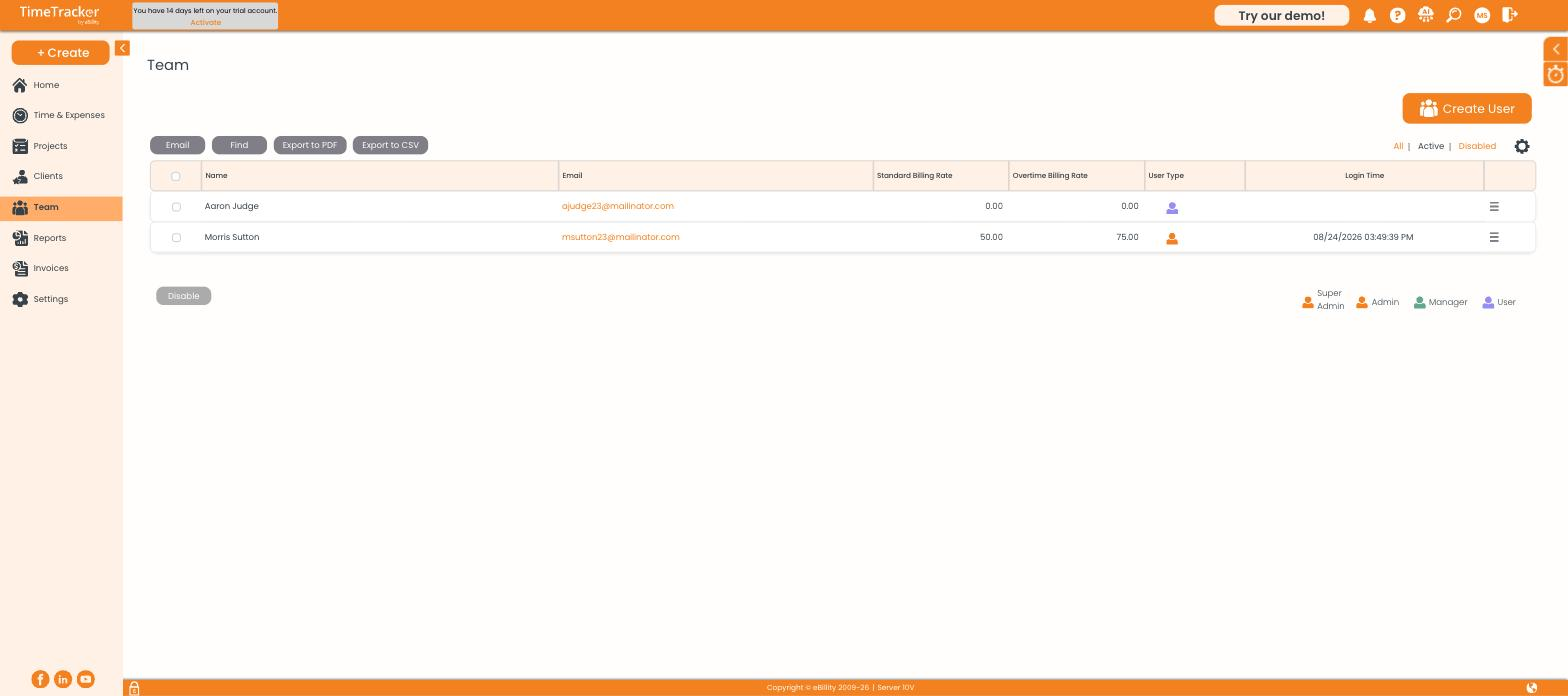
Each person's standard and overtime rates on the Team page, used when nothing more specific is set. Click the picture to see it full size.
Checking Which Rate Was Used
When you build an invoice, the entry picker shows a Rate column on every line. If a number looks wrong, work through the four levels above before you finalize.
Fixing a $0.00 Invoice
- Click Team and check the user's Standard Billing Rate. A rate of 0.00 is the most common cause.
- Open the client's Other Details tab. If the rate override is ticked, that rate is used even if it's blank.
- Open the project's Billing tab and check for a project rate.
- Check the activity's Default Rate under Settings > Customize > Custom Lists.
- Set a rate at the level that fits, then delete the $0.00 invoice and create it again.
Overtime Rates
Each level also has an overtime rate. To use them, first turn on Overtime Billing Rates in Settings > Timer Settings.
Common Problems
- One client bills at the wrong rate. A client or project rate is overriding the user's rate. Check the client's Other Details tab and the project's Billing tab.
- You changed a rate, but the invoice didn’t change. The invoice keeps the rate it was built with. Delete it and create it again. See Creating an Invoice.
- A new team member’s hours bill at $0.00. Their Standard Billing Rate was left at 0.00. See Adding Team Members and Setting Their Rates.