
Applies to: Billing
A project is one piece of work for one client. Time and expenses are logged to it, budgets track against it, and invoices group by it. Create one for each job you want to see separately on invoices and reports.
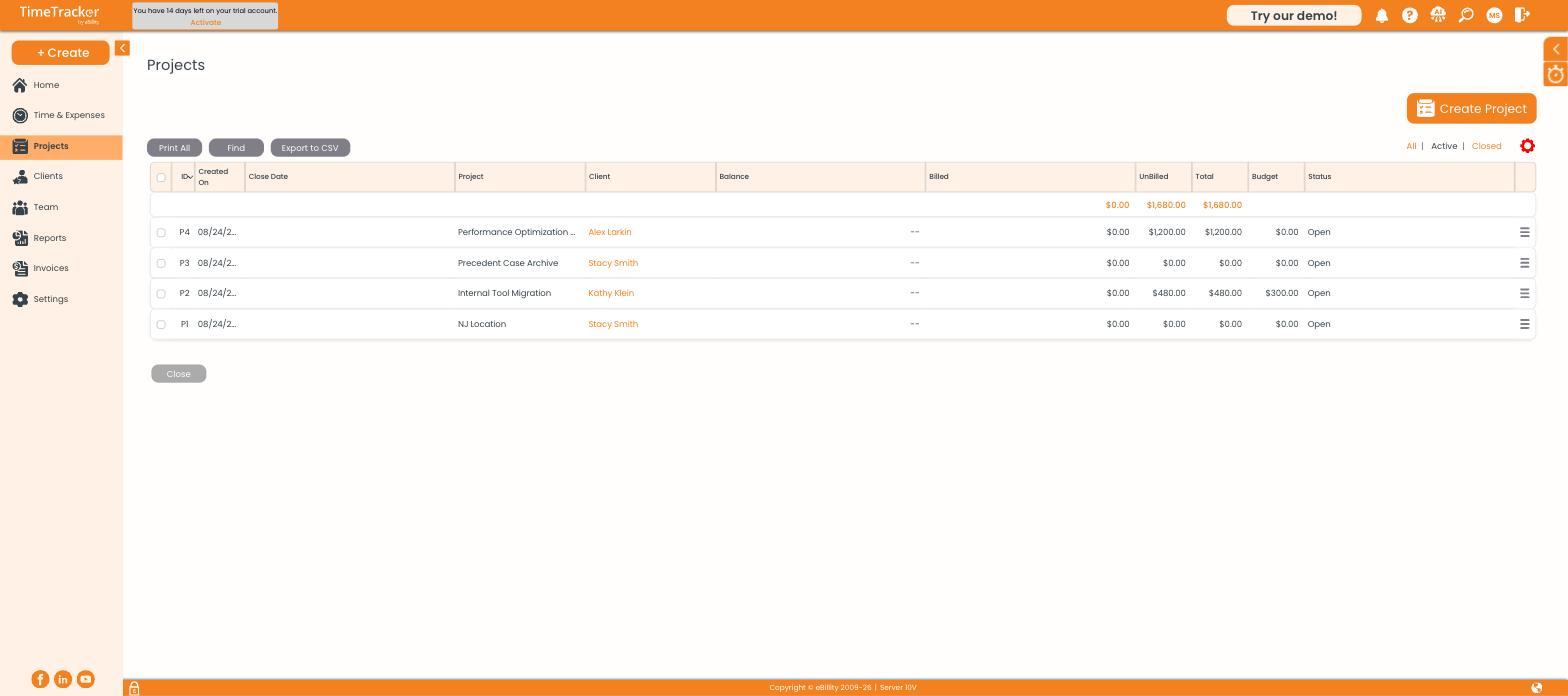
The project list, with billed, unbilled, budget, and status for each project. Click the picture to see it full size.
Creating a Project
- Click Projects, then Create Project. Or use + Create > Project.
- Choose the Client the project belongs to.
- Enter a Project Name the client will recognize. It appears on the invoice.
- Fill in any other tabs you need (see below), then save.
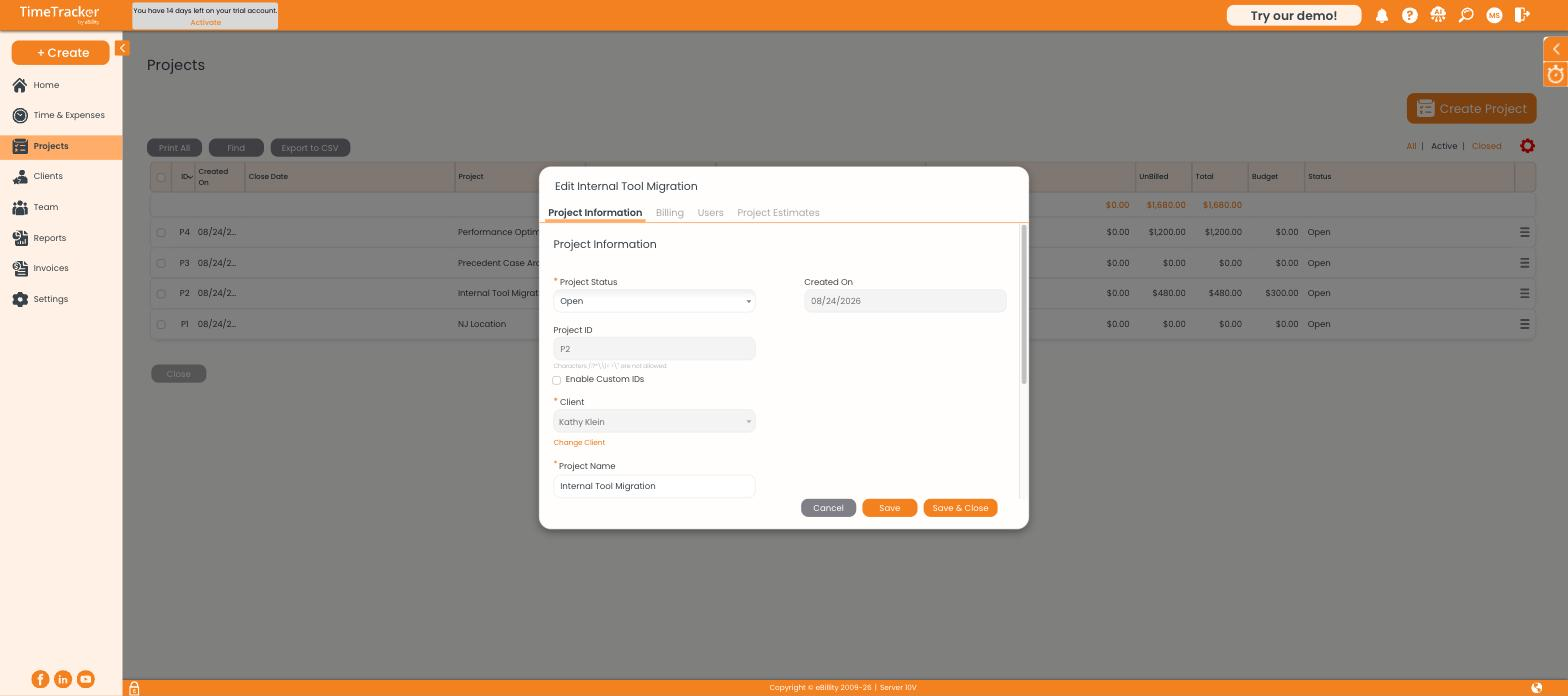
The project record, with tabs for Project Information, Billing, Users, and Project Estimates.
Which Tab Do You Need?
Logging Time Without a Project
Some work doesn't belong to a project, like a general client call or scoping work before the project exists. Log it to the client as Non-Project Related, which shows as its own option in the project dropdown.
It's turned on firm-wide in Settings > Timer Settings (where you can also rename the label) and for each client on their Other Details tab.
Closing a Finished Project
- Select the project in the list.
- Click Close at the bottom.
Closed projects drop out of the dropdowns but stay in reports and on past invoices. Use the All | Active | Closed filters to see them again, and Export to CSV to get the list into a spreadsheet.
Common Problems
- Someone can’t find the project on their timesheet. Check that they're on the project's Users tab, and that the project isn't closed.
- There’s no Non-Project Related option. It's turned off for the firm or for that client. See Configuring Timer and Timesheet Settings.
- Project time bills at the wrong rate. Check the project's Billing tab for a rate override. See How Billing Rates Work.